Information Update

29th June 2026

NO OUTAGES


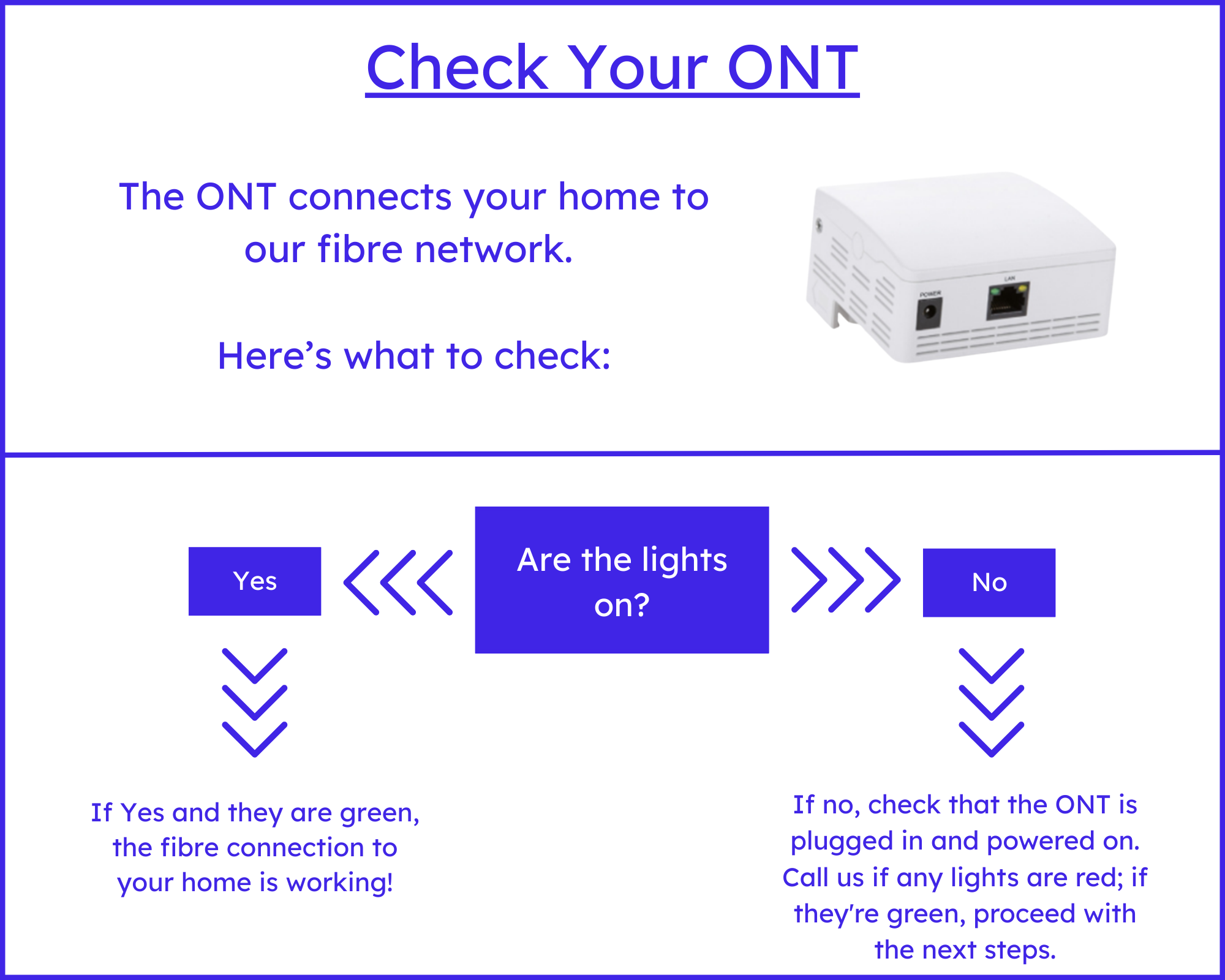
If you have experienced loss of internet, or the lights have gone out on your router or ONT, please check to see if you are affected by the current electrical outage. We will try to keep the website updated as information becomes available to us.

If your service has stopped working, please try the following:

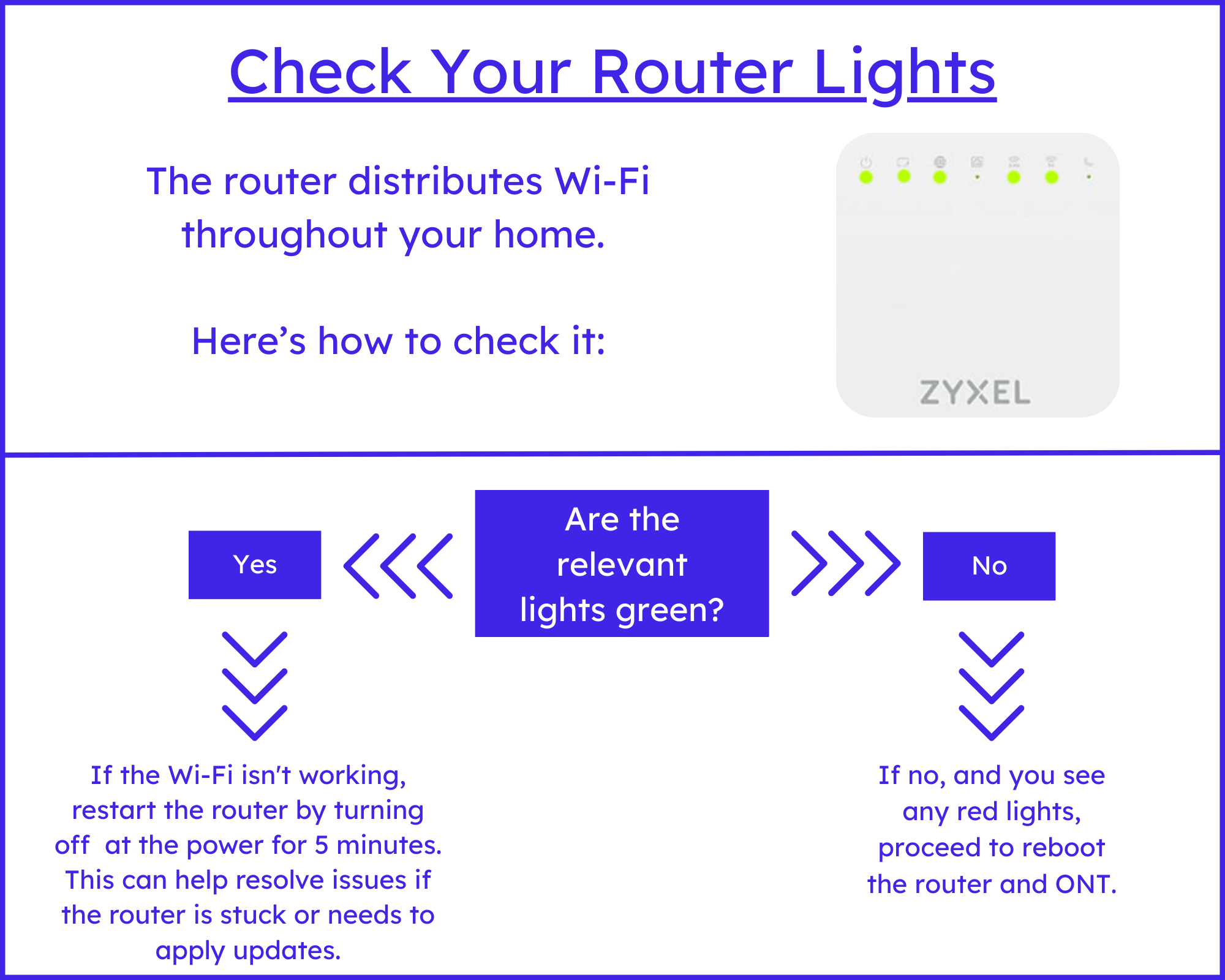
  1. Make a note of any red LEDS on your router and ONT.

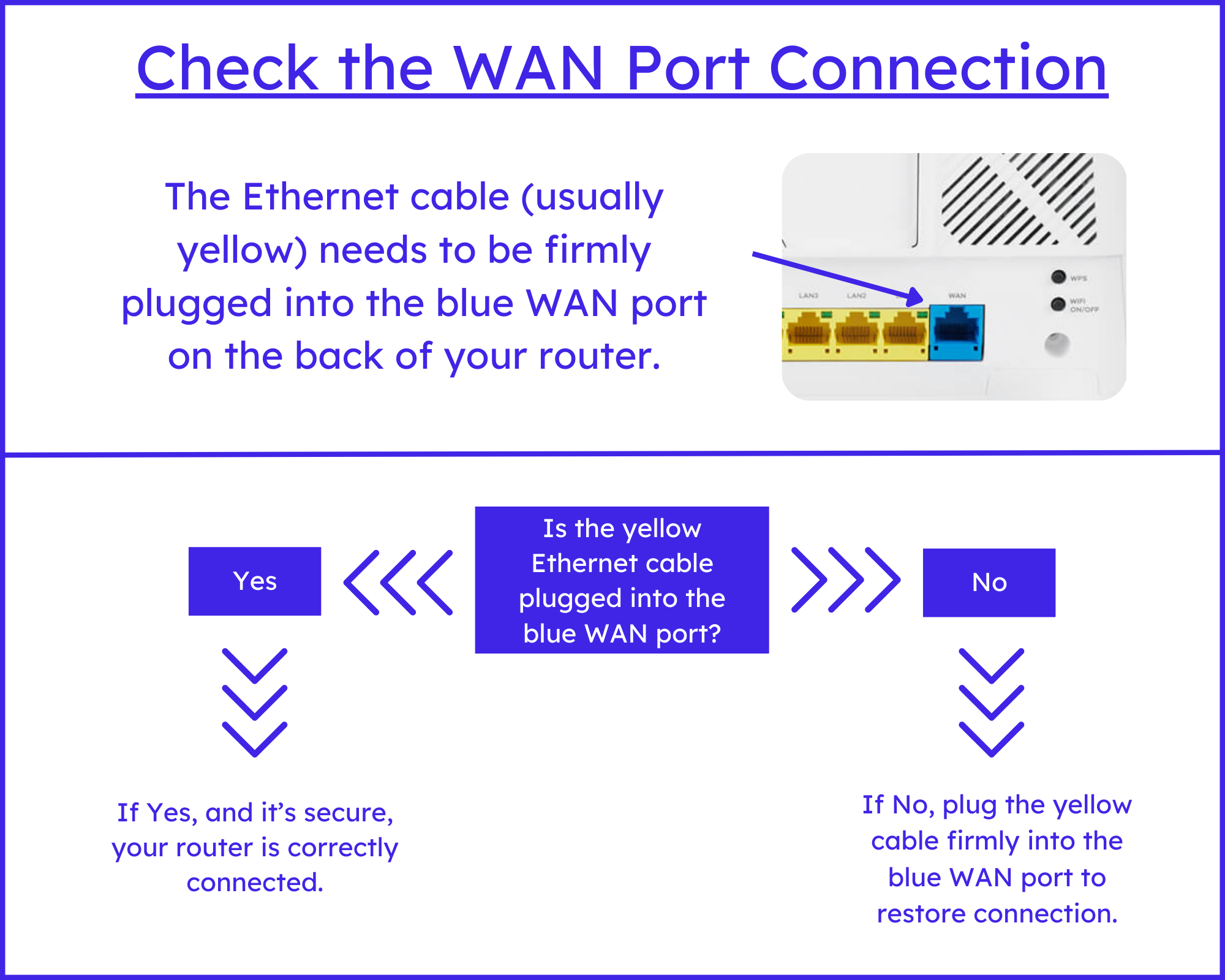
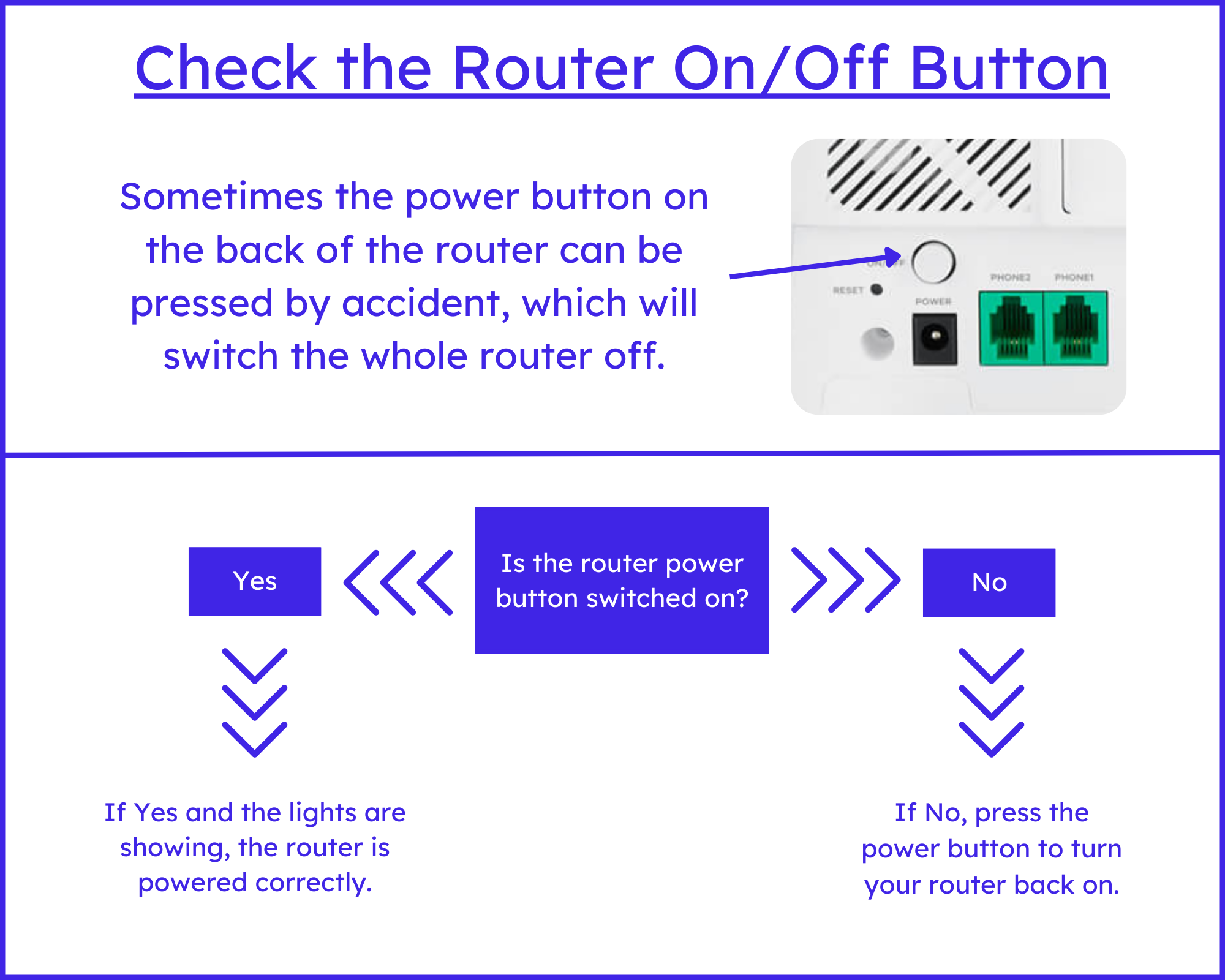
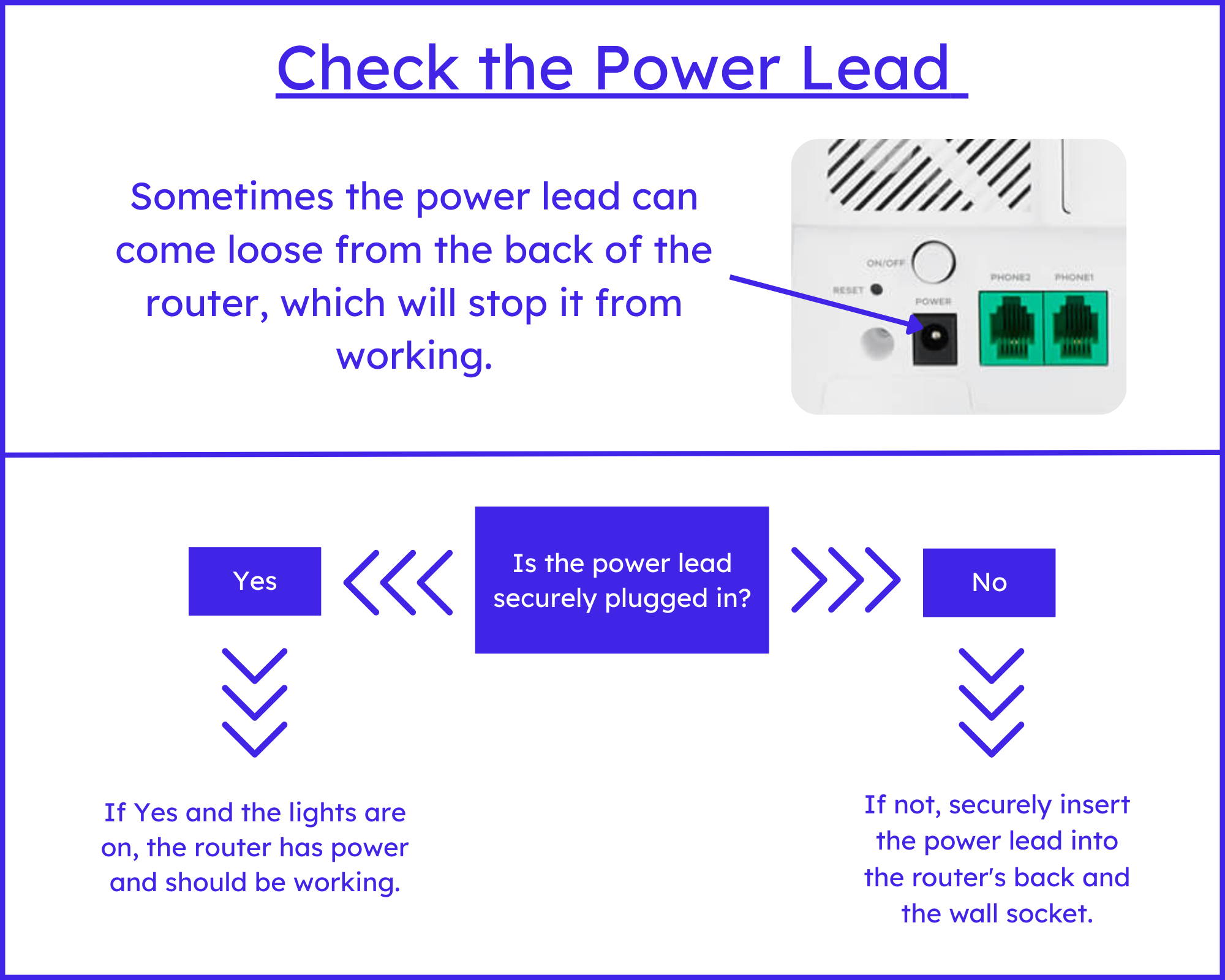
2. Remove power cable from both your router AND the ONT and allow them to fully power down. 5 minutes is the suggested timeframe. Also, remove the ethernet cable that connects the ONT to the routers WAN port (This can be blue or yellow dependant on which model router)

3. Connect the power cable back into the ONT ensuring it is seated fully. Allow the ONT to come fully back online, there should be 2 GREEN LEDs 1 next to power and 1 next to WAN.

4. Reconnect the ethernet cable to the ONT and make sure that the other end clicks audibly when pressed into the WAN port on the back of your router. follow the same procedure for powering up your router.

5. Once the router is fully powered up, you could have green LEDs across the board, in the LED below the “globe” icon is either not lit OR is showing red after 5 minutes, please email or leave a message for customer service to follow up.

 Kind Regards,

The Gigaloch Team